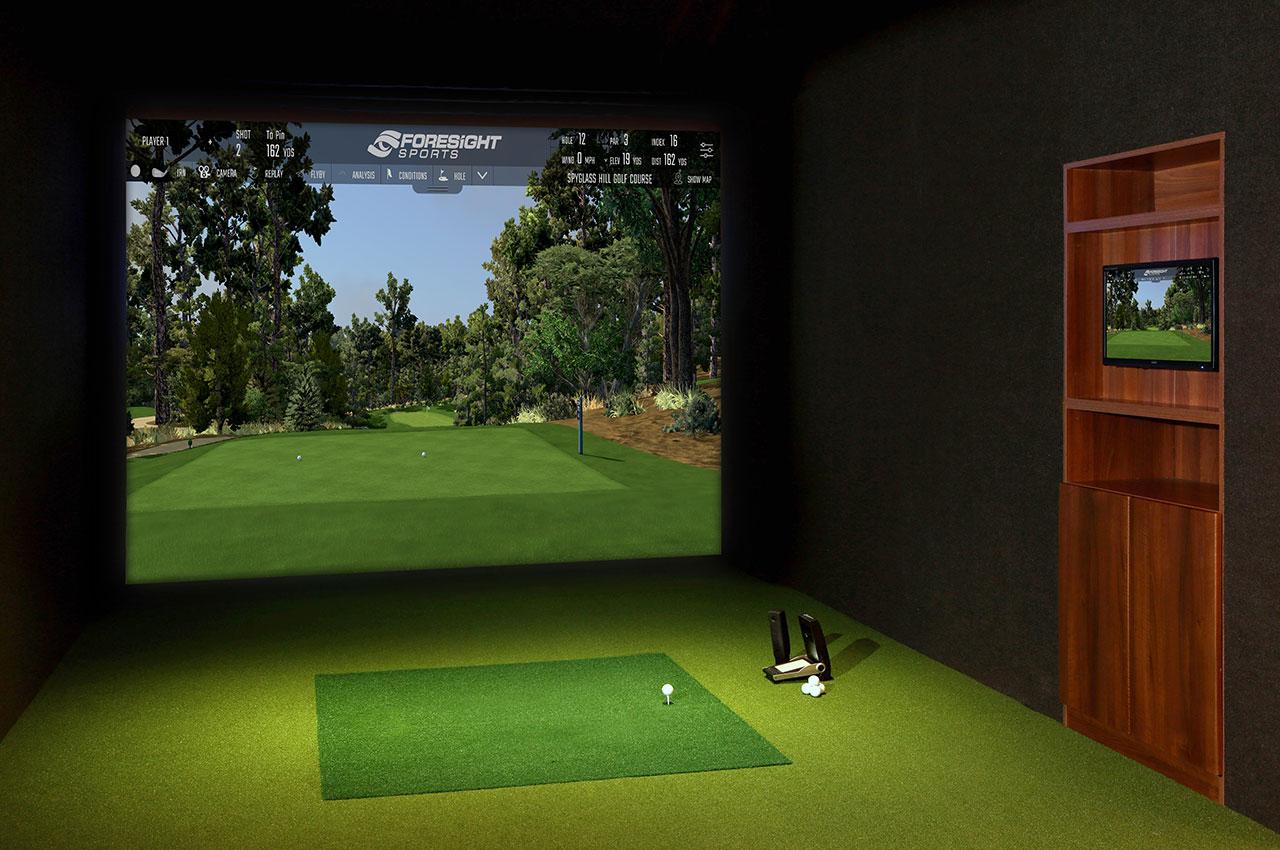
Why Software Choice Matters More Than Most Golfers Realize
Most people building a home golf simulator spend weeks agonizing over which launch monitor to buy and virtually no time on software — until they realize the software is what determines 80% of how much they actually enjoy their setup.
The launch monitor captures data. The software is where you live. It determines what courses you can play, how realistic the ball flight looks, whether you can compete online, how detailed your practice feedback is, and how much you pay every year for the privilege of turning on your simulator.

Here at HomeGolfSetup, we have run all four of the major platforms — GSPro, E6 Connect, FSX Play, and TGC 2019 — across a range of setups from budget garage bays to high-end dedicated simulator rooms. This guide cuts through the marketing to give you an honest, feature-by-feature comparison so you can make a confident decision before you spend a dollar.
One important framing point before we dive in: your launch monitor largely dictates your software options. Some platforms only work with specific hardware. Some require middleware connectors. Choosing your software first — or at least understanding compatibility — can save you from an expensive mistake. We cover compatibility in detail in the dedicated section below.
How Golf Simulator Software Actually Works
Every golf simulator software platform does two things in sequence. First, it receives ball and club data from your launch monitor — speed, launch angle, spin rate, club path, and so on. Second, it renders that data as a visual ball flight through a three-dimensional virtual golf course displayed on your impact screen.

The quality of that process depends on three factors: how well the software communicates with your specific launch monitor, how realistic the physics engine is (does the ball behave like real golf?), and how good the graphics engine is (does it look like a golf course or a video game from 2012?).
Software platforms also vary enormously in what surrounds that core experience: practice modes, game modes, online multiplayer, course libraries, and coaching tools. These secondary features are often the deciding factor for golfers whose hardware is compatible with more than one platform.
For a full breakdown of which launch monitors to pair with any of these platforms, see our golf launch monitor buying guide and our complete launch monitor comparison chart.
The Big Four: A Quick Overview
Before going deep on each platform, here is the one-line summary that shapes everything else:
GSPro — The best overall value for serious Windows-based home simulators. Massive community course library, excellent physics, active online competition. $250/year, Windows only.
E6 Connect / E6 Apex — The most established platform, commercially and at home. Professionally designed courses, iPad compatibility, polished interface. $300–$600/year (Connect); $150–$450/year (Apex).
FSX Play — The native ecosystem for Foresight Sports and Bushnell hardware. Best visual fidelity in its class, deepest data integration, higher software cost. Requires Foresight or Bushnell device; $199–$499/year for subscriptions.
TGC 2019 — A legacy platform with 150,000+ community courses and a one-time purchase model. No longer in active development. Still functional offline for compatible launch monitors, but a diminishing option for new builds.
GSPro: Best Overall for Serious Home Golfers

What It Is
GSPro (Golf Simulator Pro) is an independent, Windows-only golf simulation platform built on the Unity engine. It launched as a genuinely golf-first software — not a video game retrofitted with simulator support — and has built a massive community of players and course designers around it. As of 2026, the community-built course library has surpassed 2,000 lidar-based courses, all free to download.
Pricing
GSPro operates on an annual subscription model at $250 per year. There is no longer a lifetime license option. The subscription includes all software updates throughout the year. Note that Foresight Sports and Bushnell users must have an active FSX Play or FSX 2020 license before using GSPro — an additional cost that catches many buyers off guard.
Graphics and Physics
GSPro's graphics engine is consistently rated as the most realistic of any platform in its price range. The Unity-based rendering delivers 4K-capable visuals with detailed foliage, dynamic lighting, and course-accurate topography built from real lidar scan data. The ball flight physics engine is independent of the graphics engine and draws directly from launch monitor data — shot behavior reflects what the numbers actually say, not a game-ified approximation.
Course Library
This is GSPro's defining advantage. Over 2,000 community-created courses are available through the SGT (Simulator Golf Tour) course server, all free. These include well-known real-world layouts including Pebble Beach, Augusta National (listed as Georgia Golf Club), TPC Scottsdale, Torrey Pines, and St Andrews. Course quality is consistently high because designers use the OPCD (Open Course Design) tools to build from actual survey data rather than artistic approximation. New courses are added weekly.
Online Play and Competition
GSPro has the most active online golf community of any simulator platform. The Simulator Golf Tour (SGT) runs organized tournaments and leagues you can join from your home setup. Online multiplayer supports up to 8 players in stroke play, scramble, stableford, match play, best ball, and alternate shot formats. The competitive ecosystem here is genuinely addictive for golfers who want to play against real opponents rather than just practice alone.
Weaknesses
Windows PC only — no Mac, iOS, or Android support
Requires internet connection at every startup for license validation
Foresight and Bushnell users need an FSX Play license first (added cost)
Setup with some launch monitors requires a connector app (not plug-and-play)
No native putting analysis at the level of FSX Play or E6
Best For
Serious home golfers on Windows who want the largest course library, the most realistic ball physics, and an active online competition community. Also the best choice if you own a Garmin R10/R50, Uneekor, FlightScope Mevo Gen2, or ProTee VX as your primary monitor.
E6 Connect (and E6 Apex): Best for Polished Out-of-the-Box Experience

What It Is
E6 Connect, developed by TruGolf, is the longest-standing third-party golf simulator platform on the market. For years it was the default software bundled with commercial simulator bays and remains the most widely installed platform in the golf entertainment industry. In late 2025, TruGolf launched E6 Apex — a rebuilt version on Unreal Engine rather than Unity — which delivers a significant visual upgrade but requires more powerful hardware and currently supports a narrower set of launch monitors.
Pricing
E6 Connect: Subscriptions range from approximately $300 to $600 per year depending on tier. The Enjoy tier at ~$450/year unlocks the full course library and features.
E6 Apex: Tiered pricing from $150 to $450/year. The 7,000+ on-demand course catalog was added to E6 Apex via E6 Connect integration in late 2025.
E6 Connect is the only major platform with iPad compatibility, which is a genuine advantage for golfers who want a tablet-driven setup without a Windows gaming PC.
Graphics and Physics
E6 Connect's graphics are professional and polished, if not quite at GSPro's level of realism for hardcore users. Every course is professionally designed and quality-controlled by TruGolf's in-house team — there are no user-submitted courses in E6 Connect, which means consistency is high but the library is smaller.
E6 Apex represents a major leap. Built on Unreal Engine, it delivers cinematic course visuals that are meaningfully better than anything else in the price range — if your PC can handle the significantly elevated hardware requirements (RTX 3060 with 12GB VRAM minimum, 24GB RAM, Intel i7 10th Gen+).
Course Library
E6 Connect offers approximately 100 professionally curated courses, including iconic layouts that are faithfully reproduced. This is far fewer than GSPro's 2,000+ or TGC 2019's 150,000+ courses, but every course meets a consistent quality standard. E6 Apex adds access to a 7,000+ course library via its on-demand catalog.
Key Advantages Over GSPro
The most significant advantage E6 Connect has over GSPro is iPad compatibility. If you do not want to run a Windows gaming PC in your simulator room, E6 Connect is the only major platform that works on a tablet. For golfers who want a simple, appliance-like experience — pick up iPad, connect to launch monitor, start playing — E6 Connect on iPad is the cleanest path available.
E6 also supports mid-round drop-in and drop-out of players, which makes it better suited to social rounds with rotating participants than some competitors.
Weaknesses
Smaller professionally curated course library than GSPro at similar price
Higher subscription cost than GSPro for equivalent features
E6 Apex requires high-end PC hardware and currently supports fewer launch monitors than E6 Connect
Not as strong for competitive online leagues as GSPro's SGT ecosystem
Best For
Golfers who want a polished, professionally designed experience without building a large course library manually. Ideal for family use, social rounds, and anyone who prioritizes iPad/tablet compatibility. Also the strongest choice for launch monitors included with a FlightScope Mevo Gen2 or Full Swing KIT bundle, which include E6 Connect licenses.
FSX Play: Best for Foresight and Bushnell Hardware Owners

What It Is
FSX Play is the native software ecosystem developed by Foresight Sports for use with their own launch monitors — the GC3, GCQuad, GCHawk, Falcon, and the Bushnell Launch Pro (which is built on Foresight technology). FSX Play is not a standalone software choice in the same sense as GSPro or E6 Connect. It is a hardware-bundled platform: if you own a Foresight or Bushnell device, FSX Play is your starting point and your data hub.
Pricing
FSX Play operates on a subscription model separate from the device cost:
Silver Plan: ~$199/year — basic course play and range
Gold Plan: ~$499/year — full feature access, required for third-party software like GSPro, required for Bushnell Launch Pro users wanting full functionality
The FSX 2020 perpetual license (the predecessor) was priced at approximately $3,000 for lifetime access. FSX Play represents the subscription-forward evolution of that model. The FSX Play license also functions as the prerequisite for accessing GSPro with Foresight/Bushnell hardware.
Graphics and Data
FSX Play has the best visual fidelity of any platform in this comparison when viewed on high-end hardware. The combination of Foresight's precision hardware — which captures full ball and club data including clubface impact location on GCQuad — with FSX Play's data visualization creates the most complete analytical picture available at the consumer level.
The software displays shot data in real time alongside the course view, and coaching workflows are smoother in FSX Play than in any other platform. For fitting studios and instruction-focused setups, this integration is the reason professionals choose Foresight hardware.
Compatibility Restriction
This is the critical caveat: FSX Play only works with Foresight Sports and Bushnell launch monitors. If you do not own one of these devices, FSX Play is not available to you. Conversely, if you do own one, you effectively need FSX Play (or FSX 2020) as your base license before you can access third-party software like GSPro. It is both a requirement and an entry point, not just a standalone option.
FSX Play also has a significant hardware restriction: AMD GPUs and AMD processors are not supported. This is not a minor compatibility quirk — it eliminates an entire category of PC builds. If you are building a PC for a Foresight-based setup, plan on NVIDIA GPU and Intel CPU.
Course Library
FSX Play's included course library is smaller than GSPro or TGC 2019 in raw numbers. However, FSX Play users can access additional courses through the platform's course marketplace, and many serious Foresight owners run FSX Play as their data and practice hub while using GSPro for course play.
Best For
Foresight Sports and Bushnell Launch Pro owners — this is your native ecosystem and you should engage with it fully before adding third-party software. Also ideal for anyone running an instruction-focused or fitting studio setup where deep club data visualization and coaching workflow matter more than course library size.
TGC 2019: The Legacy Platform That Still Has a Case

What It Is
TGC 2019 (The Golf Club 2019) was the dominant third-party golf simulator software before GSPro emerged as the community's primary platform. It offered a massive course library — over 150,000 user-created courses at its peak — a one-time purchase model, and broad launch monitor compatibility. In a market increasingly dominated by annual subscriptions, the one-time price was genuinely attractive.
Where Things Stand in 2026
TGC 2019 is no longer in active development. Online multiplayer and connected tournament features have been shut down. The software still functions for local offline play on systems that have it installed, but no new features, no new updates, and no online community infrastructure exists. For most new simulator builds in 2026, TGC 2019 is not the right answer.
That said, two scenarios still make TGC 2019 a defensible choice. First, if you already own a licensed copy and a compatible launch monitor and want to avoid any subscription cost, offline local play remains fully functional. Second, if you prioritize sheer course variety above all else and own a compatible monitor (FlightScope, SkyTrak+, Uneekor, ProTee VX), the 150,000-course library is unmatched in raw numbers.
Pricing
A one-time purchase of approximately $799 to $999 with an optional $50/year update fee. As of 2026, purchasing new copies has become more difficult as the platform winds down.
Compatibility
TGC 2019 is not compatible with several widely used launch monitors including Garmin R10/R50, Foresight GC3/GCQuad, and Bushnell Launch Pro. If you own any of these devices, TGC 2019 is simply not an option.
Best For
Golfers who already own TGC 2019 with a compatible launch monitor and value offline course variety without subscription costs. Not recommended for new simulator builds in 2026 — GSPro delivers better graphics, an active community, and a growing course library at $250/year.
Head-to-Head Comparison Table
Feature | GSPro | E6 Connect | E6 Apex | FSX Play | TGC 2019 |
|---|---|---|---|---|---|
Price | $250/year | $300–$600/year | $150–$450/year | $199–$499/year | ~$999 one-time |
Platform | Windows only | Windows + iPad | Windows only | Windows only | Windows only |
Courses | 2,000+ (free, community) | ~100 (pro quality) | 7,000+ (on-demand) | Marketplace | 150,000+ (community) |
Graphics Engine | Unity (4K capable) | Unity | Unreal Engine | Proprietary | HB Studios |
Ball Physics | ★★★★★ | ★★★★ | ★★★★ | ★★★★★ | ★★★★ |
Online Play | ★★★★★ | ★★★ | ★★★ | ★★ | ✗ (discontinued) |
Practice Tools | ★★★★ | ★★★★ | ★★★★ | ★★★★★ | ★★★ |
AMD GPU support | ✓ | ✓ | ✓ | ✗ | ✓ |
iPad Support | ✗ | ✓ | ✗ | ✗ | ✗ |
Active Development | ✓ | ✓ | ✓ | ✓ | ✗ |
Best For | Serious golfers, leagues | Family, iPad users | Visual quality seekers | Foresight/Bushnell owners | Legacy users |
Launch Monitor Compatibility: The Chart You Actually Need
Your launch monitor is the single biggest filter on software choice. Use this as your starting point:
Launch Monitor | GSPro | E6 Connect | FSX Play | TGC 2019 |
|---|---|---|---|---|
Garmin R10 / R50 | ✓ | ✓ | ✗ | ✗ |
FlightScope Mevo Gen2 | ✓ | ✓ (included license) | ✗ | ✓ |
SkyTrak+ / ST MAX | ✓ | ✓ | ✗ | ✓ |
Foresight GC3 / GCQuad | ✓ (requires FSX Play first) | ✓ | ✓ | ✗ |
Bushnell Launch Pro | ✓ (Gold sub required) | ✓ | ✓ | ✗ |
Uneekor EYE MINI / XO | ✓ (Pro Package required) | ✓ | ✗ | ✓ |
ProTee VX | ✓ | ✓ | ✗ | ✓ |
Full Swing KIT | ✓ | ✓ (included license) | ✗ | ✗ |
Rapsodo MLM2PRO | ✓ (Premium Membership req.) | ✓ | ✗ | ✗ |
Trackman 4 / iO | ✗ | ✗ | ✗ | ✗ |
Note: Trackman hardware runs exclusively on Trackman's own TPS (Trackman Performance Studio) software. If you own Trackman, the software choice is made for you.
Always verify compatibility against the specific device's current documentation before purchasing, as connector support is updated regularly. Our home golf simulator buying guide covers the full hardware-to-software decision chain for common setups.
PC Requirements: What Hardware You Need to Run Each Platform
This is the second most common source of frustration after compatibility issues. Buying software before confirming your PC can run it is a painful mistake.
GSPro Minimum Requirements
OS: Windows 10 or 11 (64-bit)
GPU: NVIDIA GTX 1070 or AMD RX 580 (minimum); RTX 3060 recommended for smooth 1080p Ultra
RAM: 16 GB minimum; 32 GB recommended for stable performance with launch monitor app running simultaneously
Storage: 1 TB NVMe SSD (each course is ~500 MB–1 GB; library grows fast)
Internet: Required at every startup for license validation
Mac/iPad: Not supported
For 4K projection, an RTX 4070 or better is the practical floor. An RTX 4060 handles 1080p Ultra smoothly on most courses.
E6 Connect / E6 Apex Requirements
E6 Connect (Windows): Similar to GSPro — GTX 1070 minimum, RTX 3060 recommended
E6 Connect (iPad): Compatible with modern iPad models — the major differentiator; no PC required
E6 Apex: Significantly higher bar — RTX 3060 12GB VRAM minimum, 24 GB RAM, Intel i7 10th Gen or better. E6 Apex is demanding even on high-spec machines; budget accordingly
FSX Play Requirements
OS: Windows 10 or 11 only
GPU: NVIDIA only — AMD GPUs are not supported. RTX 3060 or better recommended
CPU: Intel only — AMD processors are not supported
RAM: 16 GB minimum; 32 GB recommended
Note: This Intel + NVIDIA requirement is not negotiable. If you are building a PC from scratch for FSX Play, the component choices are clear. If you already have an AMD build, FSX Play is not compatible.
TGC 2019 Requirements
Lower hardware floor than GSPro — a GTX 970-era GPU runs it, though a GTX 1060 or better is recommended for smooth visuals
Works on older Windows machines that might struggle with GSPro or E6 Apex
The most critical mistake buyers make is purchasing an AMD GPU for a setup that includes Foresight hardware — AMD eliminates FSX Play entirely. For a complete guide to PC builds at each price point, see our simulator PC setup guide.
Total Cost of Ownership Over 5 Years
The sticker price of software is rarely the full cost. Here is what each platform actually costs over a five-year ownership window, assuming mid-tier feature access:
Platform | Year 1 | Years 2–5 (each) | 5-Year Total |
|---|---|---|---|
GSPro | $250 | $250 | $1,250 |
E6 Connect (Enjoy tier) | $450 | $450 | $2,250 |
E6 Apex (mid tier) | $300 | $300 | $1,500 |
FSX Play Gold | $499 | $499 | $2,495 |
FSX Play Silver + GSPro | $449 | $449 | $2,245 |
TGC 2019 (one-time) | $999 | $0 | $999 |
These figures cover software only. Foresight/Bushnell owners who want GSPro should add FSX Play Silver ($199/year) to the GSPro cost.
The pattern is clear: GSPro has the lowest ongoing cost among the actively developed platforms. TGC 2019 is cheaper over five years but is a legacy product with no online features and no updates. E6 and FSX Play cost significantly more over time — a factor worth weighing against their specific advantages.
Which Software Is Right for You?
Work through these four questions to find your answer:
1. What launch monitor do you own or plan to buy? This is your first filter. If you own Foresight or Bushnell hardware, FSX Play is your base. If you own Trackman, the software choice is made for you (TPS). For everything else, GSPro and E6 Connect are both viable.
2. Do you want iPad/tablet compatibility? If yes, E6 Connect is your only serious option among the major platforms. GSPro, FSX Play, and TGC 2019 all require Windows.
3. What matters most: course quantity, course quality, or competitive play? Quantity → GSPro (2,000+ courses free) or TGC 2019 (150,000+ but legacy). Quality/consistency → E6 Connect (professionally curated). Competitive online leagues → GSPro (SGT tour ecosystem is unmatched).
4. How much do you want to spend per year? Budget-conscious → GSPro at $250/year. Prepared to invest in premium experience → E6 or FSX Play. Want to avoid subscriptions entirely → TGC 2019 (with the caveats noted above).
For most golfers building a new home setup in 2026 on Windows with a compatible monitor, GSPro is the default recommendation. The combination of course variety, physics quality, active community, and price is difficult to beat. For golfers on iPad, E6 Connect. For Foresight hardware owners, FSX Play as your base with GSPro for course play. For legacy users who already own TGC 2019 and a compatible monitor, keep running it offline.
You can explore full simulator packages built around these platforms in our golf simulator store, or compare specific hardware setups in our home simulator room planning guide.
Additional Resources
Two authoritative external references for ongoing software updates and deeper technical breakdowns:
Carl's Place Golf Simulator Software Guide — Hands-on editorial comparison of all major platforms with real testing notes and hardware pairing advice: carlofet.com/blog/golf-simulator-software-which-to-choose
Golf Simulator Videos (Jay's 2026 Software Rankings) — Video-first breakdown of every platform with specific launch monitor pairing recommendations and the emerging GolfCore platform to watch: golfsimulatorvideos.com/best-golf-simulator-software-2026
The HomeGolfSetup editorial team tests and reviews golf simulator software across a range of real-world hardware setups. All assessments reflect hands-on experience. This article may contain affiliate links to products we recommend. Your purchase price is not affected. Pricing is current as of May 2026 and subject to change.
Frequently asked questions
Independent golf equipment reviewer. Tests every product in real home conditions before publishing a verdict. No paid placements.
Related guides
Affiliate disclosure: We earn a small commission if you buy through our links — this never influences our scores or recommendations. Learn more


