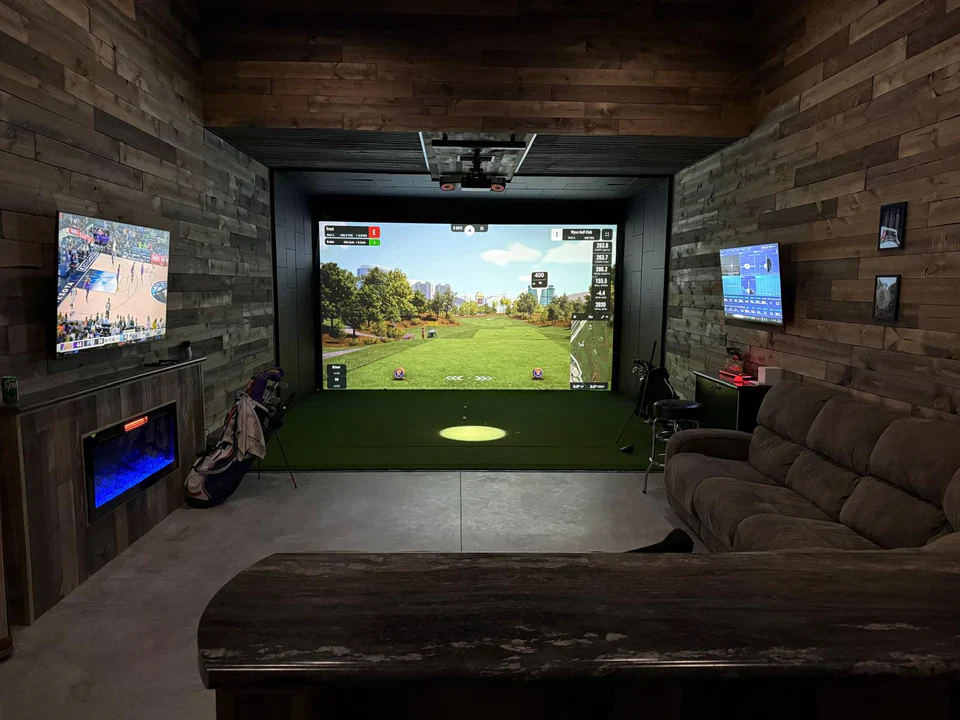
What Is a Home Golf Simulator?
A home golf simulator is an indoor system that lets you play and practice golf in your own space — garage, basement, spare room, or dedicated studio. Using a combination of sensors, cameras, or radar technology, the system tracks your ball and club data at impact, then renders a realistic 3D course on a screen in front of you.

Modern simulators have moved far beyond novelty. The better systems today measure over 20 ball-flight parameters — including club speed, face angle, spin rate, launch angle, and carry distance — and deliver feedback accurate enough to translate directly to improvements on the real course.
Whether you're a scratch golfer wanting year-round practice, a beginner building swing fundamentals, or a weekend player who simply wants to enjoy 18 holes on famous courses without leaving home, there is a home golf simulator designed for your needs and budget.
Why Buy a Home Golf Simulator in 2026?
The case for buying in 2026 is stronger than it has ever been. Here's why:
Technology has matured. Entry-level systems that cost $5,000 just five years ago now cost under $2,000 and deliver comparable accuracy. Photometric and radar sensor technology has become more affordable across the board.
Software libraries have exploded. Leading platforms now simulate 100+ courses — including Augusta National, St Andrews, and Pebble Beach — with photorealistic graphics. Multiplayer online modes let you compete against friends across the country.
The real cost comparison is compelling. A single round at a decent private club can run $100–$250. A home simulator pays for itself within 100–200 rounds for many buyers, while also eliminating the travel time equation entirely.
Remote work culture = more home investment. Homeowners are converting garages and finished basements into multi-use spaces. A golf simulator room doubles as a media or entertainment room, adding practical and perceived home value.
Seasonal freedom. For golfers in the Midwest, Northeast, UK, or Scandinavia, an indoor simulator removes the 3–5 month off-season entirely. Your game no longer has to regress every winter.
How Much Does a Home Golf Simulator Cost?
Budget is the first filter for most buyers. Here is a realistic cost breakdown across tiers:
Tier | Total Investment | What You Get |
|---|---|---|
Entry-level | $1,500 – $4,000 | Basic launch monitor, net, mat, projector; limited software |
Mid-range | $4,000 – $10,000 | Accurate tracking, quality enclosure, 1080p projection, full course library |
Premium | $10,000 – $25,000 | Professional-grade sensors, 4K visuals, dedicated enclosure, advanced analytics |
Commercial-grade | $25,000+ | Full bay build-out, high-frame-rate cameras, touring pro accuracy |
What drives the cost up?
Sensor technology: Radar-based systems (like those using Doppler radar) tend to cost more than infrared or camera-based equivalents but offer superior outdoor-to-indoor accuracy.
Screen and projection quality: A 4K short-throw laser projector alone can run $2,000–$4,000.
Software subscriptions: Most platforms charge $200–$500/year for full course access on top of hardware costs.
Enclosure and flooring: A purpose-built simulator bay (frame, impact screen, side barriers, hitting mat) ranges from $1,500 to $6,000 depending on size and materials.
Pro tip: Budget 20–30% more than the headline hardware price to cover installation materials, lighting, and any structural modifications to your room.
Space Requirements: What Room Do You Need?
Space is often the deciding factor. Before you shop, measure the room you have in mind. Here are the minimum recommended dimensions:
Measurement | Minimum | Ideal |
|---|---|---|
Ceiling height | 9 ft (2.7 m) | 10–12 ft (3–3.7 m) |
Width | 10 ft (3 m) | 14–16 ft (4.3–4.9 m) |
Depth (ball-to-screen) | 10 ft (3 m) | 15–18 ft (4.6–5.5 m) |
Ceiling height is non-negotiable. A standard 7-iron swings to about 8.5 ft at its apex. Below 9 ft, you risk hitting the ceiling — not just uncomfortable, but dangerous. Taller players or those with steep swings need more clearance.

Width matters for safety. A low-hanging ceiling fan, wall bracket, or support column within your swing arc will cause injury. Leave at least 3.5 ft of clearance on either side of your hitting position.
Depth affects tracking accuracy. The further the ball travels before hitting the screen, the more flight data the sensors can capture. Most launch monitors perform best with 7–10 ft of ball flight before impact.
Common room choices:
Garage: The most popular choice. A standard two-car garage (20 × 20 ft) is spacious enough for a premium setup. Insulation and climate control are the main upgrades needed.
Basement: Excellent if ceiling height permits. Concrete floors accept mat anchoring easily. Temperature is naturally stable.
Dedicated studio addition: The premium route. Custom-built rooms allow perfect dimensions, acoustic treatment, and purpose-designed lighting.
The 5 Core Components Explained
Every home golf simulator combines five essential elements. Understanding each one helps you evaluate any system on the market.
1. Launch Monitor / Tracking System
The brain of the setup. It measures ball and club data at impact. There are three main sensing technologies:
Radar (Doppler): Tracks the ball through its full flight arc. Very accurate outdoors and at longer distances. Examples: Trackman, Mevo+, Garmin R10.
Photometric (camera-based): Captures high-speed images at impact. Excellent indoors. Examples: Foresight GC Quad, SkyTrak+.
Infrared: Uses light beams to measure ball speed and direction. Budget-friendly but less data-rich. Found in entry-level systems.
2. Hitting Mat
Your artificial turf surface. A quality mat should: replicate real fairway/rough resistance, have a proper tee position, and protect your joints from the hard sub-floor. Look for at least 1-inch foam backing and realistic turf density.
3. Impact Screen
The projection surface that takes the ball hit. High-quality screens absorb the impact of balls traveling at 100+ mph without tearing. A durable screen uses multi-ply polyester with a woven mesh backing. Budget screens degrade quickly — don't cut corners here.
4. Projector
Short-throw projectors are preferred in confined spaces. Key specs to look for: lumens (≥3,000 for daylight-visible image), throw ratio, and native resolution (1080p minimum; 4K for premium setups). A bright, sharp image reduces eye strain during long sessions.
5. Simulation Software
The platform that renders your shot. Leading software options in 2026 include GSPro, E6 Connect, The Golf Club 2019 (TGC2019), and Creative Golf 3D. Each has different course libraries, pricing models, and multiplayer capabilities. Most launch monitors are compatible with 2–3 software platforms.
Types of Home Golf Simulators
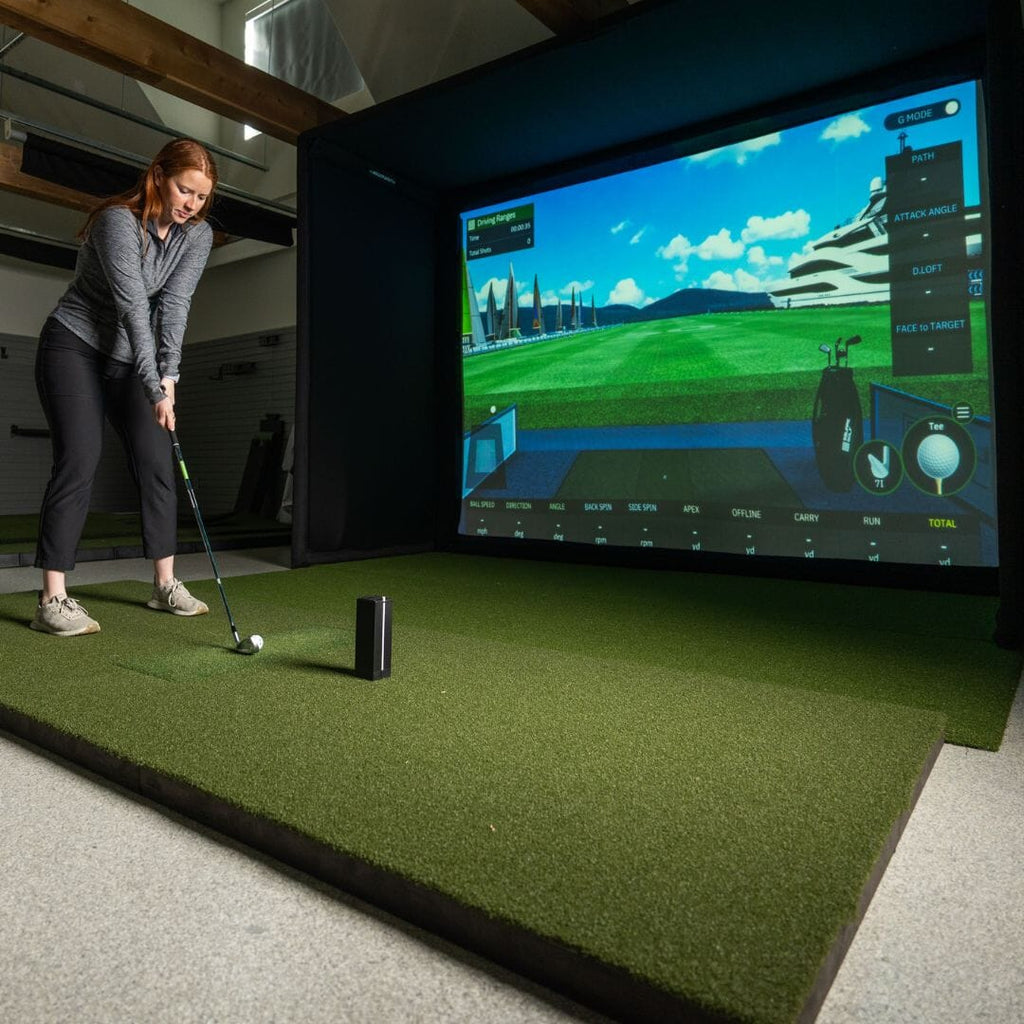
All-in-One Packages
Pre-configured bundles from brands like OptiShot, SkyTrak, or Full Swing. Easy to set up, predictable cost, good for beginners. Trade-off: less customization.
Component-Based Custom Builds
You select your launch monitor, screen, projector, mat, and software separately. Higher upfront effort but maximum control over quality in each category. Preferred by experienced buyers.
Net + Launch Monitor (No Screen)
The most affordable option: a practice net with a standalone launch monitor feeding data to a tablet or laptop. No immersive visuals, but excellent for serious practice on a tight budget. The Garmin R10 + net setup is popular in this category.
Full Bay Enclosures
A purpose-built frame system that houses the screen, side barriers, and overhead bar in a freestanding structure. No wall mounting needed. Brands like Carl's Place and Rain or Shine Golf offer popular enclosure kits.
Top Home Golf Simulator Systems in 2026
Note: Always verify current pricing with retailers, as golf tech pricing shifts frequently.
Best Overall: Foresight Sports GC3 Package
The GC3 launch monitor uses three high-speed cameras for photometric tracking. It delivers tour-level accuracy indoors and is compact enough for tight spaces. Paired with FSX Play software and a quality enclosure, this setup consistently ranks at the top of mid-to-premium buyer shortlists.
Best for: Serious amateurs wanting professional accuracy without full commercial spend.
Approx. cost: $8,000–$13,000 fully built out.
Best Budget Pick: Garmin Approach R10 Package
The R10 remains the most impressive value in consumer golf simulation. It measures 16 data parameters via Doppler radar and connects to E6 Connect and GSPro. At under $700 for the device alone, it has democratized launch monitor access significantly.
Best for: Entry-level buyers, apartment or small-space setups, practice-first users.
Approx. cost: $2,000–$3,500 with basic enclosure and mat.
Best Mid-Range: SkyTrak+ System
The SkyTrak+ updated the original SkyTrak with dual radar + camera hybrid tracking. It bridges the gap between budget photometric systems and commercial-grade radar units. The WGT software integration offers a large course selection.
Best for: Buyers upgrading from an entry-level system or making their first serious investment.
Approx. cost: $4,500–$8,000 fully configured.
Best Premium: Full Swing KIT System
Used by Tiger Woods and widely adopted in PGA Tour player home setups, the Full Swing KIT combines radar and infrared technology with an industry-leading 15+ software integrations. The data richness and shot-shaping accuracy at this level is exceptional.
Best for: Low-handicap golfers who want zero compromise on data quality.
Approx. cost: $12,000–$20,000+.
How to Choose the Right Simulator for You
Work through these four questions before you buy:
1. What is your primary goal — practice or entertainment?
Pure practice demands accurate ball and club data above all. Entertainment-focused buyers should weight software experience and visual quality higher.
2. How much space do you realistically have?
Measure ceiling height, width, and depth before looking at any product. Eliminate anything that doesn't fit your physical constraints first.
3. What is your honest budget — hardware plus full build-out?
Remember to include: mat, screen/net, projector or monitor, enclosure frame, software subscription, installation materials, and any electrical or HVAC work on the room. Total cost is almost always 30–50% higher than the launch monitor price alone.
4. What is your current handicap and skill level?
Beginners are poorly served by spending $15,000 on sensor accuracy they cannot yet utilize. A $2,500 entry-level setup will develop your game just as effectively at that stage. Save the upgrade budget for when you've outgrown it.
Installation: DIY vs. Professional Setup
DIY installation is genuinely achievable for most setups. Most enclosure kits are designed for two-person assembly in 4–8 hours. The main tasks are: anchoring the enclosure frame, mounting or positioning the projector, running power to devices, and calibrating the launch monitor position.
Where to call a pro:
Electrical work (dedicated circuits for projectors and HVAC)
Structural modifications (raising ceilings, framing a new room)
Projector ceiling mounting (especially in finished rooms)
Turf or rubber flooring installation over concrete
Expect professional installation for a complete simulator bay to run $500–$2,500 depending on scope and local labor rates.
Tips to Get the Most Out of Your Simulator
Calibrate regularly. Most launch monitors need occasional recalibration, especially after moving the unit. Follow manufacturer guidelines to maintain data accuracy.
Use structured practice, not just play. Random rounds build entertainment value. Structured practice — working on specific shots, tracking improvement in key metrics over time — builds your real game. Most simulator software includes dedicated practice modes.
Record and review. Many setups allow video recording of your swing alongside data. Watching your swing data and video together accelerates learning faster than either tool alone.
Control ambient light. Projector image quality degrades sharply in bright rooms. Blackout shades or blinds in a garage or basement room make a significant quality difference at zero extra cost.
Maintain your mat. Hitting mats wear unevenly over time, creating false feedback on strike location. Rotate the mat regularly and replace the hitting zone insert when it becomes visibly worn.
Join the simulation community. Platforms like GSPro have active online communities where you can book tee times against other players worldwide. Competitive play keeps motivation high during long winters.
This guide is maintained by our golf technology review team and is updated regularly to reflect new product releases and pricing changes. We test and research all products referenced. Always check current retailer pricing before purchasing.
Frequently asked questions
Independent golf equipment reviewer. Tests every product in real home conditions before publishing a verdict. No paid placements.
Related guides
Affiliate disclosure: We earn a small commission if you buy through our links — this never influences our scores or recommendations. Learn more


