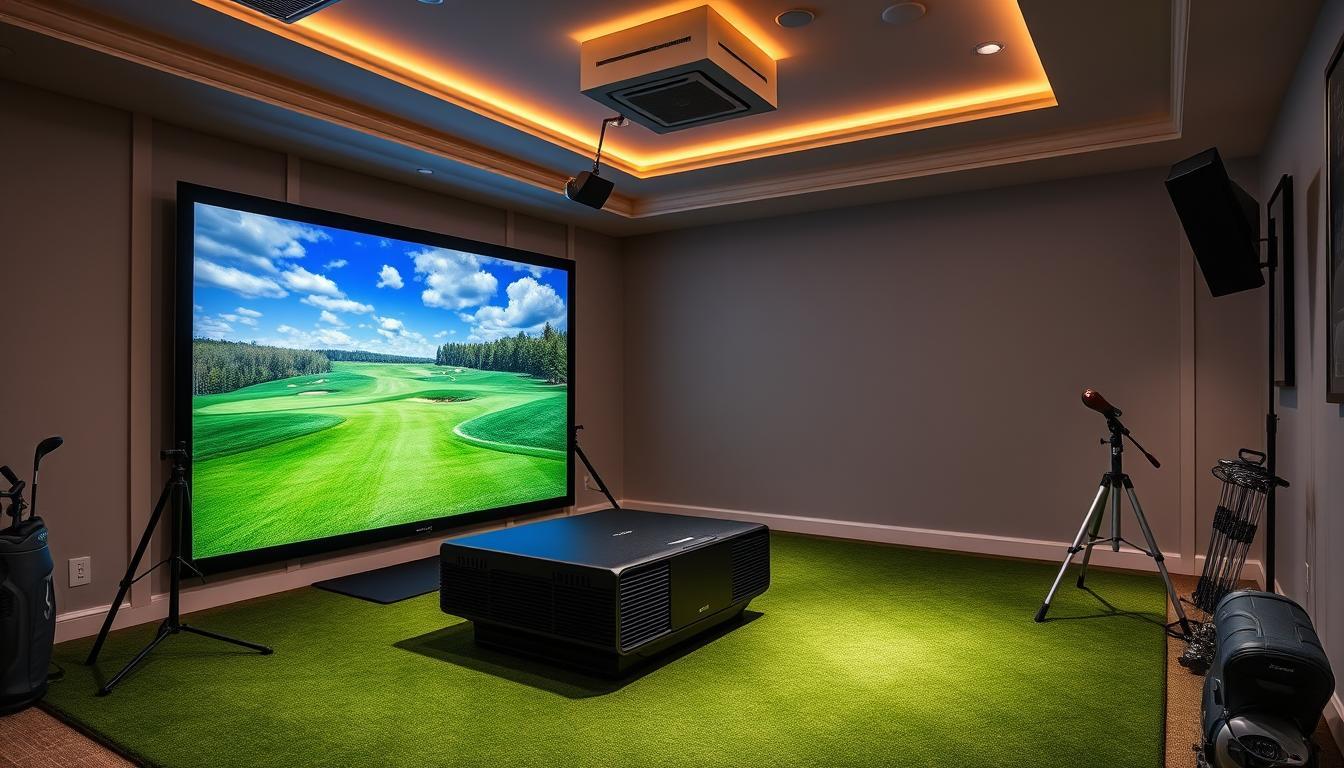
The most common mistake buyers make when budgeting for a golf simulator is pricing the launch monitor and stopping there. The device is only one piece. By the time you add a screen, projector, enclosure, mat, software subscription, and any room prep work, the real cost is almost always 30–50% higher than the headline hardware number.

This guide gives you the full picture — what each tier actually costs, what you get at each price point, what's typically left out of advertised bundles, and how to avoid spending more than you need to for the experience you actually want.
The Real Cost Structure of a Golf Simulator
Before breaking down tiers, it helps to understand what you're actually buying. A complete home golf simulator has six cost components — and most marketing focuses on just one of them.
Component | What It Does | Typical Cost Range |
|---|---|---|
Launch monitor | Tracks ball and club data at impact | $200 – $15,000+ |
Impact screen | Projection surface that takes ball hits | $300 – $2,500 |
Projector | Displays the simulation onto the screen | $400 – $4,000 |
Enclosure / frame | Houses screen and contains errant shots | $500 – $6,000 |
Hitting mat | Artificial turf surface for ball striking | $150 – $1,500 |
Software subscription | Course library and simulation platform | $100 – $800/year |
Rule of thumb: Take the price of the launch monitor you're considering, then double it for a realistic complete setup estimate. At the premium end, the ratio narrows — but it never disappears.
Tier 1: Entry-Level Golf Simulator — $1,500 to $4,000
Who it's for: First-time buyers, beginners, golfers testing home simulation before committing to a larger investment, and anyone working with a tight budget or small space.
What You Get at This Price Point
Entry-level setups are typically built around an affordable Doppler radar or infrared launch monitor — the Garmin Approach R10 ($600) and OptiShot 2 ($400) are the most common anchors at this tier. These devices measure the core data points that matter most for general practice: ball speed, launch angle, and carry distance. Spin data is less precise than higher-tier systems, but meaningful enough to identify swing tendencies and track improvement session over session.
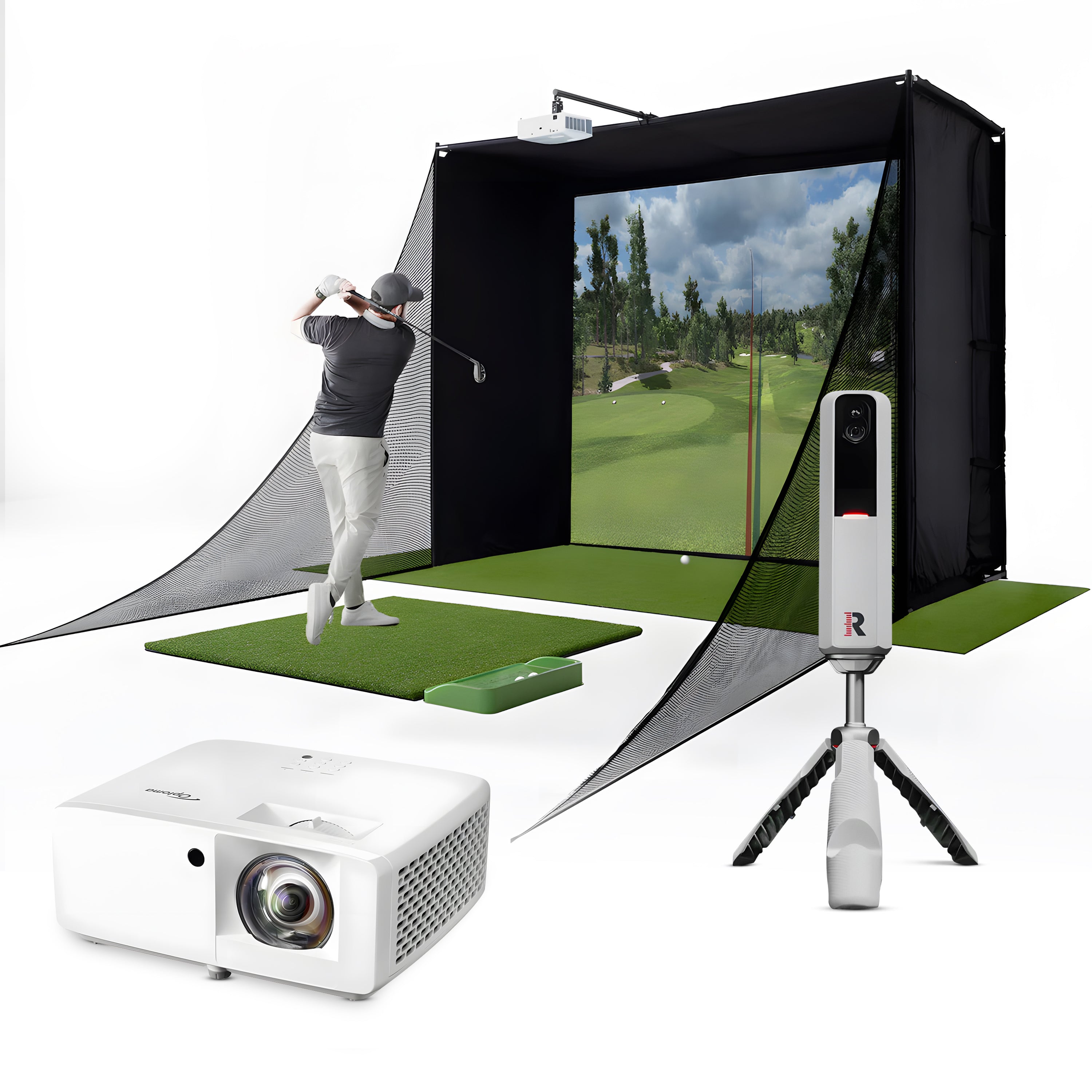
The rest of the build at this price point is deliberately simple: a basic practice net ($100–$250) in place of a full impact screen, a mid-density hitting mat ($150–$300), and either no projector at all (data goes to a tablet or laptop) or a budget 1080p short-throw projector ($350–$500).
A realistic $2,500 entry build might look like:
Garmin Approach R10: $600
Basic practice net (Carl's Place or Rain or Shine): $200
Mid-quality hitting mat: $250
Budget short-throw projector: $400
GSPro software subscription: $150/year
Installation materials, cables, mounting hardware: $150
Total: ~$1,750 hardware + $150/year software
Add a proper impact screen and enclosure frame, and you're looking at $3,000–$4,000 for a more complete setup.
What You're Giving Up
Spin accuracy at this tier is the main technical limitation. Budget launch monitors tend to estimate sidespin and backspin rather than measure it directly, which makes simulated shot shape less reliable — particularly on shots that curve significantly. For beginners, this rarely matters. For golfers trying to diagnose a persistent slice or hook, it becomes a frustration.
Software libraries at this tier are also more limited. The Garmin Golf app's course selection is growing but remains behind platforms like GSPro or E6 Connect in breadth and visual quality. The R10 does connect to GSPro, which solves this problem at the cost of an additional subscription.
Is Entry-Level Worth It?
For new buyers, yes — unambiguously. The data you get from a $600 R10 is more than enough to lower a double-digit handicap. The risk of overspending on accuracy you can't yet use is real. Start here, develop a practice habit, and upgrade when you've genuinely outgrown the system.
If you want a full rundown of the best entry-level options alongside mid-range and premium picks, our tested buying guide covers every tier side by side.
Tier 2: Mid-Range Golf Simulator — $4,000 to $10,000
Who it's for: Committed golfers who want a proper simulation experience, accurate data, and a setup they won't feel the need to replace in two years.
What You Get at This Price Point
This is the tier where home golf simulation starts to feel like the real thing. The jump from entry-level to mid-range buys you three things that matter: significantly better tracking accuracy, a proper impact screen and enclosure, and access to premium simulation software with a full course library.
The most popular launch monitors at this tier are the SkyTrak+ ($2,995 device only) and the Mevo+ Pro Package from FlightScope ($2,999). Both use hybrid radar-and-camera or multi-radar technology to deliver spin data that's meaningfully more accurate than budget systems, and both support multiple simulation platforms.
A realistic $7,500 mid-range build might look like:
SkyTrak+ launch monitor: $2,995
Carl's Place enclosure kit (10 × 10 ft): $1,200
Quality impact screen (multi-ply): $600
1080p short-throw projector (BenQ LH600ST or similar): $800
Premium hitting mat with foam backing: $400
E6 Connect subscription: $250/year
Installation materials + projector mount: $300
Total: ~$6,295 hardware + $250/year software
At the top of this range ($8,000–$10,000), buyers start accessing systems like the Uneekor EYE XO and Foresight GC3 — photometric and overhead-camera systems that begin approaching tour-fitting accuracy.
What You're Giving Up
At this tier, the main trade-off versus premium is not accuracy on ball flight — mid-range systems track that well — but rather club data depth. Face angle, angle of attack, and dynamic loft are the metrics that reveal swing mechanics at the root cause level. Many mid-range systems either don't capture these, or charge an additional subscription to unlock them.
Visually, 1080p projection is excellent but noticeably behind 4K at viewing distances under 10 feet. If you're building a dedicated studio with a large screen, the step up to 4K becomes more compelling.
Is Mid-Range Worth It?
For anyone who plans to use their simulator more than twice a week, yes. The accuracy improvement over entry-level is significant enough to make practice feedback genuinely reliable, and the enclosure-plus-screen setup creates an immersive experience that sustains long-term engagement. This is the most popular tier among committed amateurs — and for good reason.
Tier 3: Premium Golf Simulator — $10,000 to $20,000

Who it's for: Low-handicap and scratch golfers, golf coaches, players who want professional-level data, and buyers making a long-term investment they won't need to revisit for 5–7 years.
What You Get at This Price Point
Premium simulators remove the compromises that define every lower tier. At $10,000–$20,000, you get tour-grade tracking accuracy, 4K-ready visuals, full club data without subscription paywalls, and build quality that holds up to daily use over years.
The leading systems in this range are the Foresight Sports GC3 ($6,995 device), Uneekor QED ($5,995 overhead mount), and Full Swing KIT ($9,995). Each uses different sensor architectures — photometric cameras, overhead infrared arrays, and dual Doppler radar respectively — but all three deliver a complete picture of both ball flight and club delivery data at a level of precision that matches or exceeds what you'd find in a professional club fitting studio.
A realistic $14,000 premium build might look like:
Foresight GC3 launch monitor: $6,995
Premium enclosure (The Net Return Pro Series V2 or similar): $2,200
4K short-throw laser projector (Optoma or BenQ): $2,500
Commercial-grade hitting mat: $800
FSX Play software + CG Numbers subscription: $800/year
Rubber flooring, blackout shades, installation: $700
Total: ~$13,195 hardware + $800/year software
At the top of this tier ($18,000–$20,000), full bay builds with acoustic paneling, custom turf flooring, integrated lighting, and dual-screen setups are common. The room becomes a dedicated studio — not just a simulator in a garage.
What You're Giving Up
Compared to tour-grade systems above $20,000, premium home simulators show their limits primarily in high-frame-rate club tracking. Commercial systems capture clubface data at 10,000+ frames per second; home-tier premium units operate at lower capture rates that are excellent for practice but occasionally produce outlier readings on extreme swing paths.
The other honest trade-off at this tier: if your room isn't set up properly — ceiling too low, ambient light uncontrolled, inadequate depth — you are underutilizing the investment. The system is only as good as the environment it runs in.
Is Premium Worth It?
For scratch to 10-handicap golfers who use their simulator 3–5 times per week, the return on investment is strong. At this level of use, even the software subscription cost amortizes to a few dollars per session, and the accuracy of feedback genuinely accelerates improvement in a way that lower tiers cannot. For casual players or those who mainly want entertainment, the price premium is harder to justify.
Tier 4: Tour-Grade Golf Simulator — $20,000 and Above
Who it's for: Touring professionals, elite amateurs, serious golf coaches, and buyers who want the definitive setup regardless of cost.
What You Get at This Price Point
Above $20,000, you enter the territory where home golf simulation converges with professional tour infrastructure. The flagship system at this level is the Trackman 4 ($24,900) — the industry standard for PGA Tour player analysis, used on practice ranges at every major tour event worldwide.
The Trackman 4 uses dual Doppler radar to track the full flight of the ball from impact to landing, capturing over 26 parameters with a level of precision no other consumer-available system matches. It is the benchmark against which every other launch monitor on this list was calibrated during our testing.
Beyond the Trackman, this tier includes custom full-bay commercial builds: high-frame-rate camera arrays mounted around the hitting zone, 4K laser projection with high-brightness commercial projectors, integrated shot-recording systems, acoustic studio treatment, and purpose-built room construction.
A realistic $30,000+ tour-grade build might look like:
Trackman 4 launch monitor: $24,900
Commercial-grade full enclosure with custom screen: $4,000–$6,000
Commercial 4K laser projector (Christie or Barco): $5,000+
Professional studio fit-out (flooring, lighting, acoustic panels): $3,000–$8,000
Annual software + Trackman subscription: $1,500–$2,500/year
Total: $35,000–$45,000+ depending on build scope
Who Actually Needs This?
Very few home buyers. The data accuracy difference between a well-calibrated GC3 or Full Swing KIT and a Trackman 4 is measurable in controlled testing, but marginal in practical improvement terms for anyone who isn't a touring professional working with a coach on highly specific swing data. The Trackman's value proposition is most clear in teaching environments where dozens of students are measured and compared over time.
If you're in this range, you likely already know what you need. For everyone else: the premium tier at $10,000–$20,000 gets you 95% of the way there.
Hidden Costs to Budget For
Every cost breakdown for golf simulators leaves out the same items. Here's what catches buyers off guard:
Room preparation: Climate control (insulation, HVAC), electrical work for dedicated circuits, and structural modifications (raising a ceiling, framing a room) can add $1,000–$5,000 before a single piece of simulator hardware arrives.
Flooring: Rubber underlayment or commercial turf over a concrete garage floor costs $300–$800 and makes a significant difference in comfort and mat stability.
Lighting: A simulator room needs controlled, even lighting that doesn't wash out the projected image. LED panel lighting with dimmable control runs $200–$500 to do properly.
Replacement mats: Hitting mats wear out at the strike zone. A quality mat replacement strip costs $50–$150 and should be budgeted annually for regular users.
Software upgrades and add-ons: Many platforms charge separately for course packs, club fitting modules, or instructor features beyond the base subscription. $100–$300/year in add-ons is common.
Professional installation: If you hire out the build rather than DIY, add $500–$2,500 for labor depending on complexity.
Cost vs. Value: How to Think About the Investment
Golf simulator cost makes the most sense when framed against the alternative: playing golf.
A golfer who plays 80 rounds per year at an average green fee of $80 spends $6,400 annually on golf — before range balls, club fitting, and travel. A mid-range simulator at $7,500 pays for itself in hardware costs in just over a year at that usage rate, while enabling unlimited practice sessions in between.
For golfers in seasonal climates — where winter closes courses for 4–5 months — the equation is even more compelling. Year-round practice with a home simulator typically produces 2–4 strokes of handicap improvement in the first full year of structured use, a return that no amount of annual green fee spending can replicate.
That said, a simulator only pays off if you use it consistently. Before committing to any tier, honestly assess how often you'd realistically swing in a dedicated home setup. For buyers unsure of their commitment, the entry tier at $1,500–$3,000 is the right test before scaling up.
For a full side-by-side comparison of which systems perform best at each price point, see our complete 2026 home golf simulator buyer's guide — which covers space requirements, component selection, and installation decisions alongside cost.
Quick Cost Summary
Tier | Total Build Cost | Annual Software | Best For |
|---|---|---|---|
Entry-level | $1,500 – $4,000 | $100 – $200 | Beginners, budget buyers |
Mid-range | $4,000 – $10,000 | $200 – $400 | Committed amateurs |
Premium | $10,000 – $20,000 | $400 – $800 | Serious/low-handicap golfers |
Tour-grade | $20,000 – $45,000+ | $1,500 – $2,500 | Pros, coaches, no-compromise buyers |
Pricing in this guide reflects current retail ranges as of May 2026. Golf simulator hardware prices shift regularly — always verify current pricing with manufacturers and authorized dealers before purchasing.
Frequently asked questions
Independent golf equipment reviewer. Tests every product in real home conditions before publishing a verdict. No paid placements.
Related guides
Affiliate disclosure: We earn a small commission if you buy through our links — this never influences our scores or recommendations. Learn more


